An AI webinar script sounds generic when you give the tool a topic but leave out the context that makes your presentation specific to your business. To fix what I call the “context gap,” supply your offer, audience, discovery story, and webinar framework, then settle the strategy before drafting. The script needs to explain your approach and lead toward the right next step.
AI can produce a webinar from a short prompt. But getting a document back doesn’t mean you have a presentation that positions your expertise well.
In the video, I compare a generic request with a more structured process. The difference is the context and sequence behind the writing.
For a consultant or coach using a webinar to book calls, that preparation matters. You want attendees to understand your method and why speaking with you would be valuable.
What Is the Context Gap in an AI Webinar Script?
The context gap is the information and strategic direction missing between your expertise and what the AI knows about it. A topic and a requested length don’t explain your story, your process, or how you want the presentation to lead into a call.
In the demonstration, I use a fictional leadership coach named Sarah. She helps newly promoted women managers lead with confidence and offers a consulting or coaching program.
The initial prompt asks for a 45-minute webinar for first-time women managers about becoming confident leaders, with a call to action at the end.
The AI produces a webinar. But the headline is generic, Sarah’s specific discovery story is missing, and the process lacks the context that would distinguish her approach.
The call to action also spends too much time on the program and too little on why someone should book a call.
That’s what I mean when I describe the output as strategically ignorant. It has words and a sequence, but it doesn’t have the strategic preparation I would use when working with a client.
The tool hasn’t been given enough information about what makes this presentation different.
What Context Should You Give AI Before It Writes?
Give the AI your offer information, relevant background, and the framework you want it to follow. In my demonstration, I organize that material in a project before asking for the webinar.
I use the project as a place to bring together instructions and reference materials. The example includes my offer, launch, and webinar presentation framework files.
The presentation framework contains the process I use to develop a custom webinar. It gives the AI direction about the sequence and purpose of the sections.
Your business information and the presentation framework do different jobs:
- Your offer information explains what you help people accomplish and what you sell.
- Your background and discovery story provide context for your expertise and approach.
- Your webinar framework explains how the presentation should develop.
- Your call-to-action plan establishes what you want attendees to do next.
The point is to give the AI something specific to work from. A generic instruction to “write a webinar” leaves those decisions largely unspecified.
In the video, I’ve already supplied the offer before moving into the strategy. I want the ingredients on the table before writing the slides.
Which Strategic Decisions Should Come Before the Script?
Before drafting, identify the big idea, headline, audience identity shift, key objections, and call to action. These decisions give the presentation a direction.
Start with the big idea. What is the central shift you want someone to understand during your webinar?
For fictional Sarah, the example is that leadership confidence comes from changing how you see yourself, lead, and show up, rather than waiting until you feel ready. That idea connects to her confident leader framework.
Then choose a headline that expresses the opportunity. One option in the demonstration is “Newly Promoted Women Managers: How to Go From Second-Guessing Yourself to Leading With Authority.”
That gives the presentation a more specific direction than a broad topic such as confident leadership.
Identify the contrast between the current and desired identity. In Sarah’s example, I use the “proving manager” and the “confident manager.”
The presentation can explore how each approaches daily work and what that difference means. It helps attendees recognize where they are and understand the change Sarah wants to help them make.
Plan the objections you need to address. The teaching should help people work through the concerns that stop them from embracing the approach.
Finally, plan the call invitation. Decide how you’ll name the session, explain its value, and give the right people a reason to attend.
These are decisions to make before the writing gets underway. They shape the script instead of becoming details added at the end.
How Should AI Turn That Strategy Into a Webinar?
Use the agreed strategy to draft the presentation in sections, with on-screen text and speaker notes. In the demonstration, I work through the opening, the teaching, and the call to action before compiling the script.
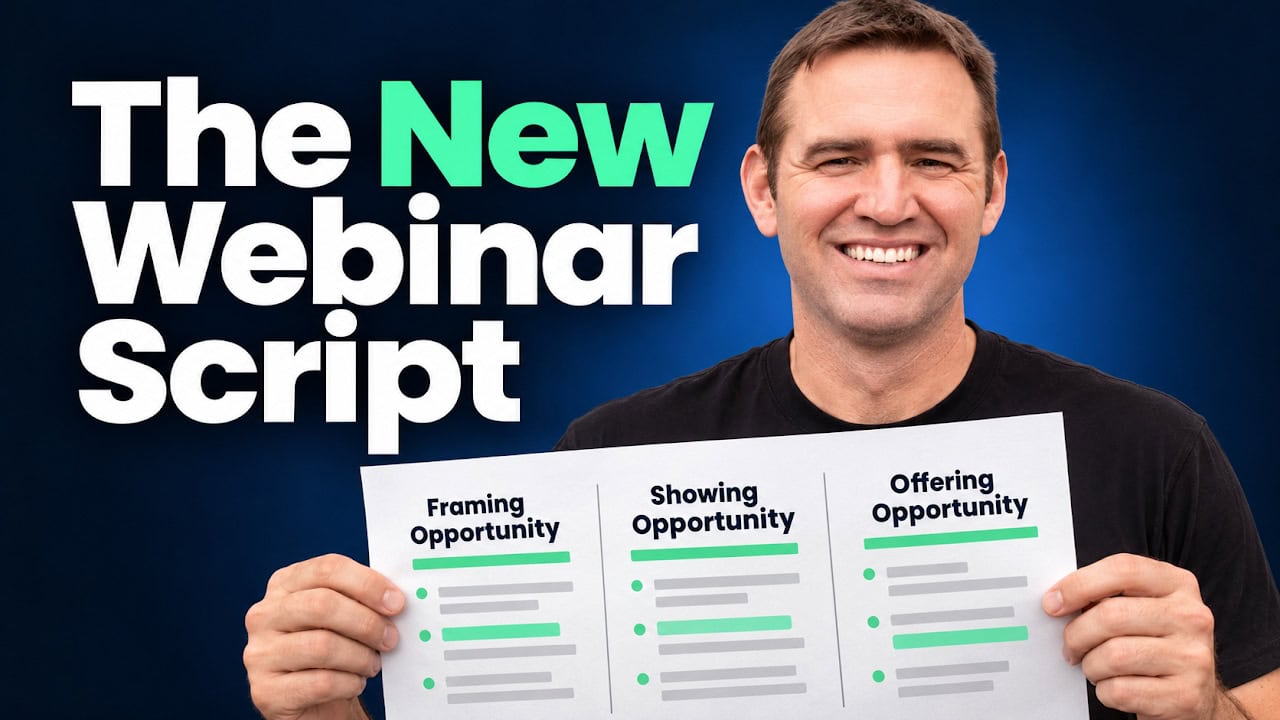
The opening focuses on what I call framing the opportunity. It explains what attendees will get, introduces the discovery story, and establishes the shift the presentation is asking them to consider.
For Sarah’s fictional example, that includes the contrast between feeling the need to prove herself and seeing herself as a confident leader. Her illustrative discovery story provides context for that approach.
The generic version moves into teaching too quickly. It doesn’t spend enough time establishing why the approach matters or why attendees should listen.
The next section teaches away objections. I use a myth, truth, and proof sequence to address the concerns identified during planning.
The goal is to show people a better path forward and help them understand the reasons for considering it. I don’t want the presentation to become an overloaded collection of how-to information.
After that comes the call to action. Once the sections are complete, I compile them into one script that can be transferred into a slide deck and designed.
This keeps the writing connected to the strategy. Each section has a job to do.
How Do You Keep the AI-Generated CTA Focused on Booking Calls?
Tell the AI how the call should be positioned, including its name, benefits, intended audience, and attendance incentives. “Include a call to action” leaves too much of that unspecified.
In the fictional example, Sarah’s invitation is a “Confident Leader Strategy Session.” The close explains what they’ll do together, why attending is useful, and who the session is for.
It also includes a scorecard and a cheat sheet as illustrative incentives for attending. In the video, I mention a book as another resource you could include if you have one.
The focus is the value of taking that next step. Sarah’s webinar is intended to prepare people for a conversation about working with her, so the invitation needs to support that goal.
I then finish with a recap and a clear call to action.
When reviewing an AI draft, look at what it is actually asking someone to do. If your goal is booking calls, the close should give people a reason to attend the conversation, rather than simply describe the program and append a calendar link.
The context gap gets smaller when you give AI the information and structure behind your expertise. Start with the offer and strategy, establish the big idea and objections, and guide the writing through a sequence that leads naturally to your next step.
If you already run a webinar and want to know where it’s losing clients, request a complimentary Webinar Conversion Checkup: https://jonschumacher.com/checkup. If you’re planning one, book a Fast Start Strategy Session: https://jonschumacher.com/webinar-schedule.
About Jon
Jon Schumacher is a webinar consultant with 12+ years of experience and 300+ private clients across 30+ industries. He helps established coaches, consultants, advisors, and service businesses selling $3,000+ offers use webinars and VSLs to book qualified calls and win high-ticket clients.